

Managing payments today often means working across multiple channels. Ecommerce transactions, in-store purchases, remote payments and chargebacks can generate large amounts of operational and performance data that need to be monitored efficiently.
For many merchants, the challenge is not simply accepting payments. It is understanding how those payments perform, identifying potential issues and accessing the information required to support day-to-day operations.
The PayXpert Back Office was designed to bring these activities together in a single environment, providing visibility across online and in-store payments while supporting omnichannel payment analysis and operational management.
See it action, watch the video below:
A unified view of payment activity
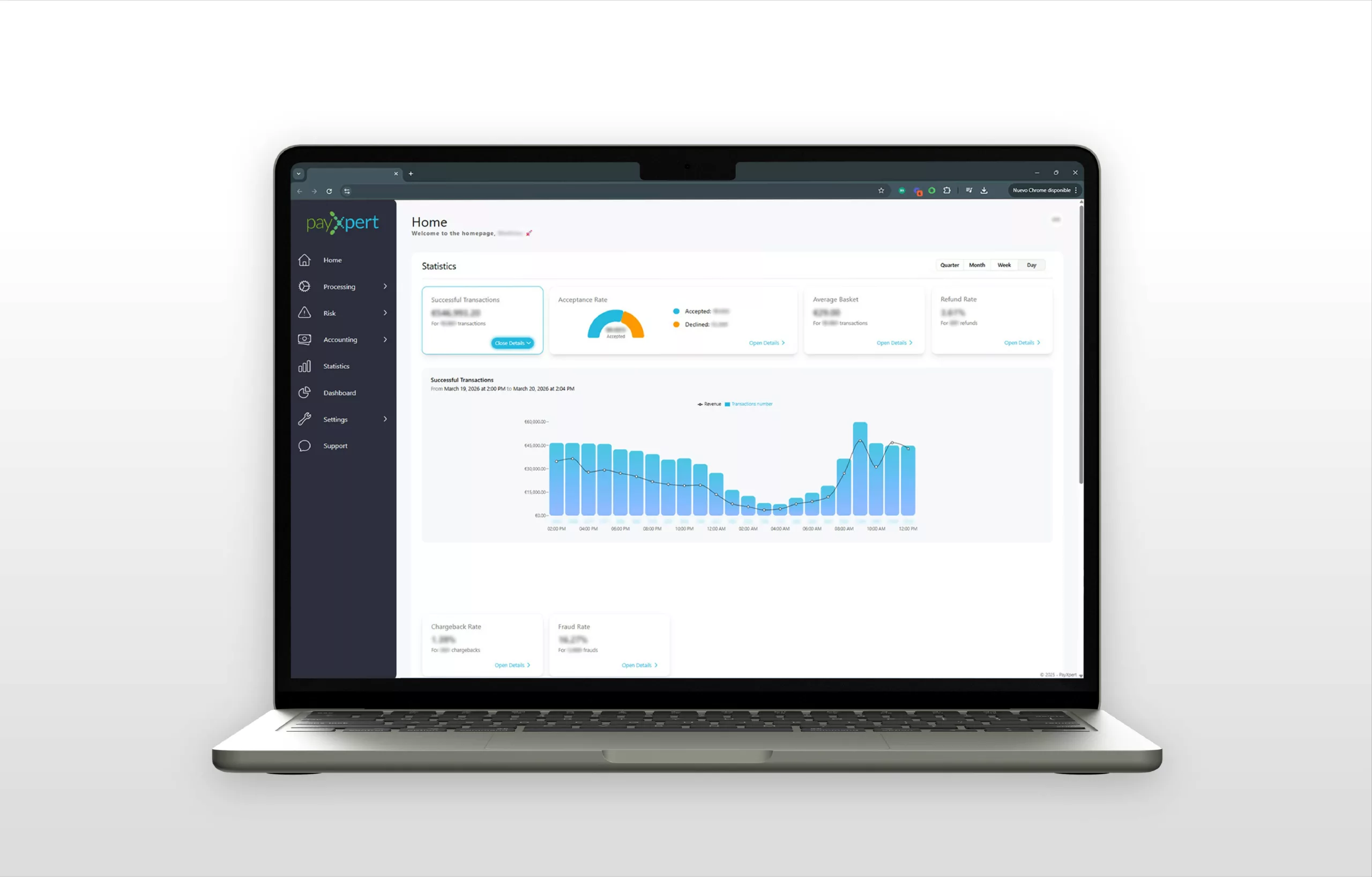
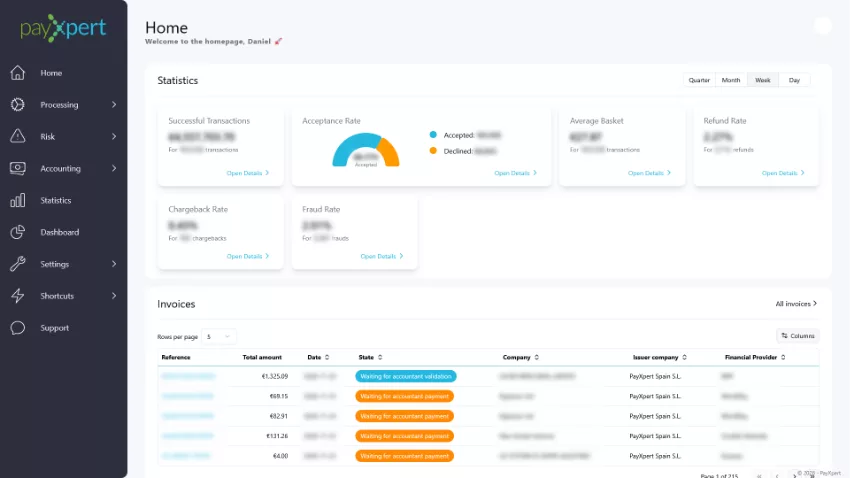
The Back Office brings together online and physical payment activity into a central environment, helping users access payment information across channels from a single location.
From the homepage, users gain access to:
- Sales activity overview
- Risk exposure indicators
- High-level payment statistics
- Payment activity summaries
- Chargeback insights
These indicators provide an immediate overview of payment activity and can be explored further to understand the underlying performance data.
Understanding payment performance through real-time dashboards
Payment data becomes more valuable when it can be explored visually.
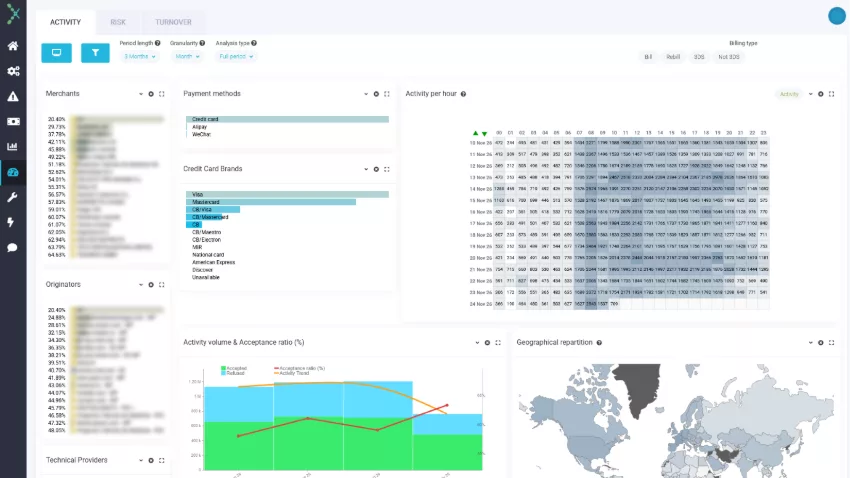
The Back Office includes interactive dashboards that enable users to analyse activity through interconnected graphs, charts and lists. Rather than reviewing static reports, users can navigate payment information dynamically using visual filters and data relationships.
Analysis can include:
- Payment methods
- Card brands
- Acquirers
- Geographic activity
- Transaction volumes by hour
This visual approach helps users investigate trends, detect behavioural patterns and identify areas that may require further analysis.
For example, selecting a specific period of activity can reveal additional information relating to issuer responses, acquirers, card schemes, technical routes and payment outcomes.
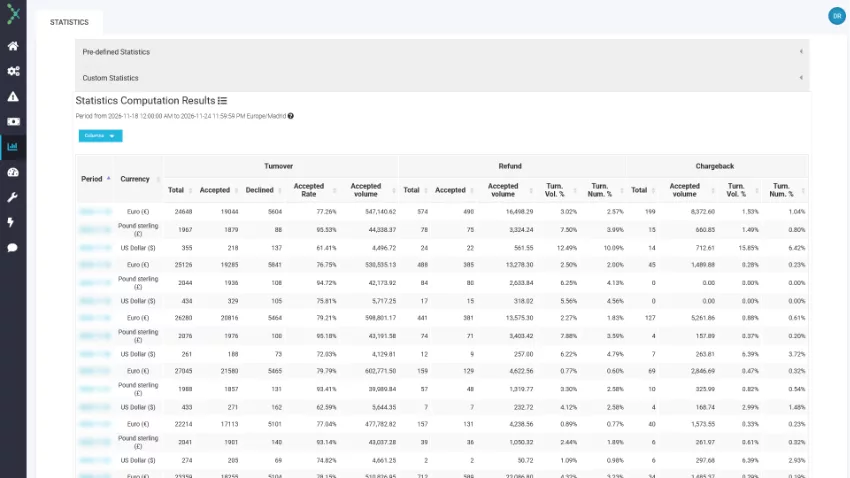
Advanced Statistics: moving from trends to detailed analysis
Once a user has identified a trend or an area of interest, the Advanced Statistics module allows the analysis to become more targeted.
The module includes extensive filtering capabilities that can be applied to transaction data, including:
- Time period
- Currency
- Card issuer
- Acquirer
- Technical route
- Payment channel: In-store or Ecommerce
- Additional transaction attributes
These filters help narrow the data set to focus on the transactions most relevant to the analysis being performed.
Rather than navigating large transaction volumes manually, users can progressively reduce the scope of their investigation to identify specific patterns, behaviours or operational questions.
Transaction inspection and operational actions
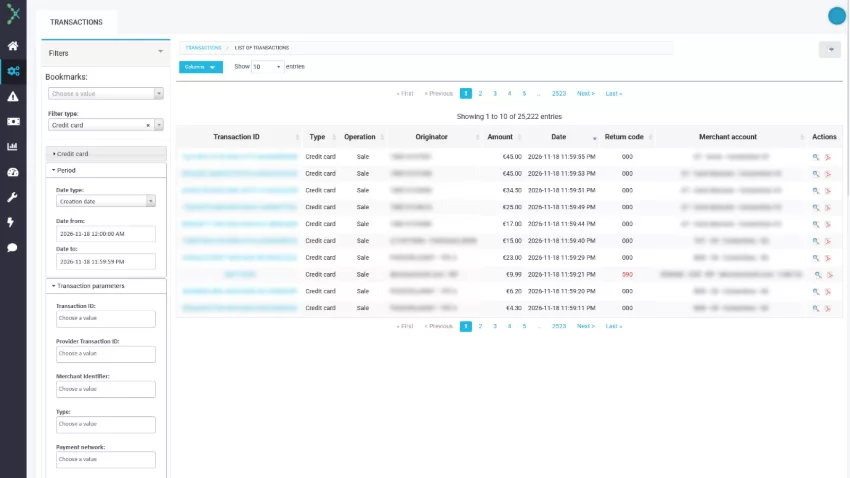
Detailed transaction information remains accessible throughout the analysis process.
The Transaction Detail view consolidates operational and payment information into a single location, including:
- Payment data
- Card data
- Financial status
- Technical properties
- Shopper information
This enables users to investigate specific transactions in greater detail when required.
Where operational actions are needed, users can also perform activities such as refunds, captures and transaction reviews directly from the transaction view.
Managing chargebacks more efficiently
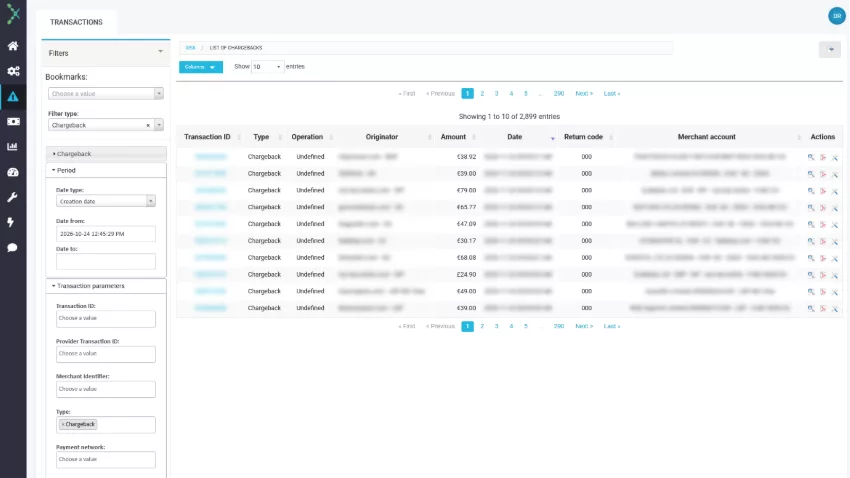
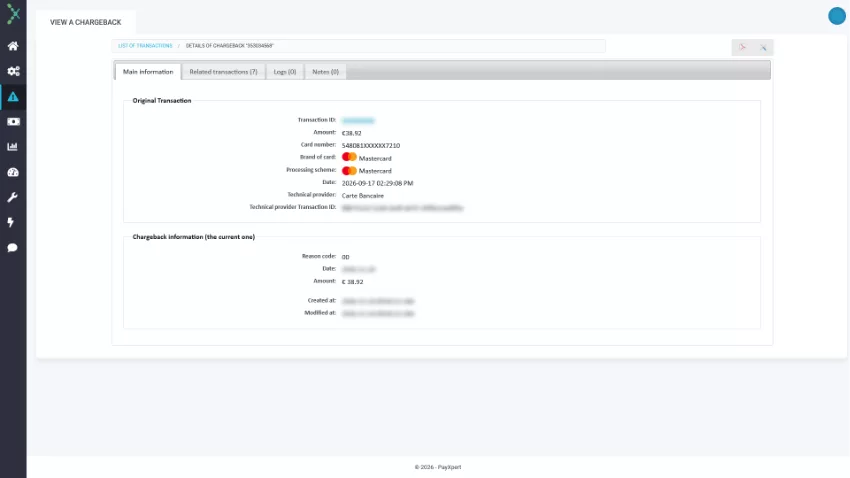
Chargeback management is another important aspect of payment operations.
The dedicated chargeback area enables users to:
- Identify disputed transactions
- Filter and review cases
- Access transaction references
- Open individual chargeback records for further investigation
This centralised visibility can help operational teams monitor disputed payments and organise their review processes more effectively.
Supporting remote payments with the Virtual Terminal
Not every payment takes place through an online checkout or physical terminal.
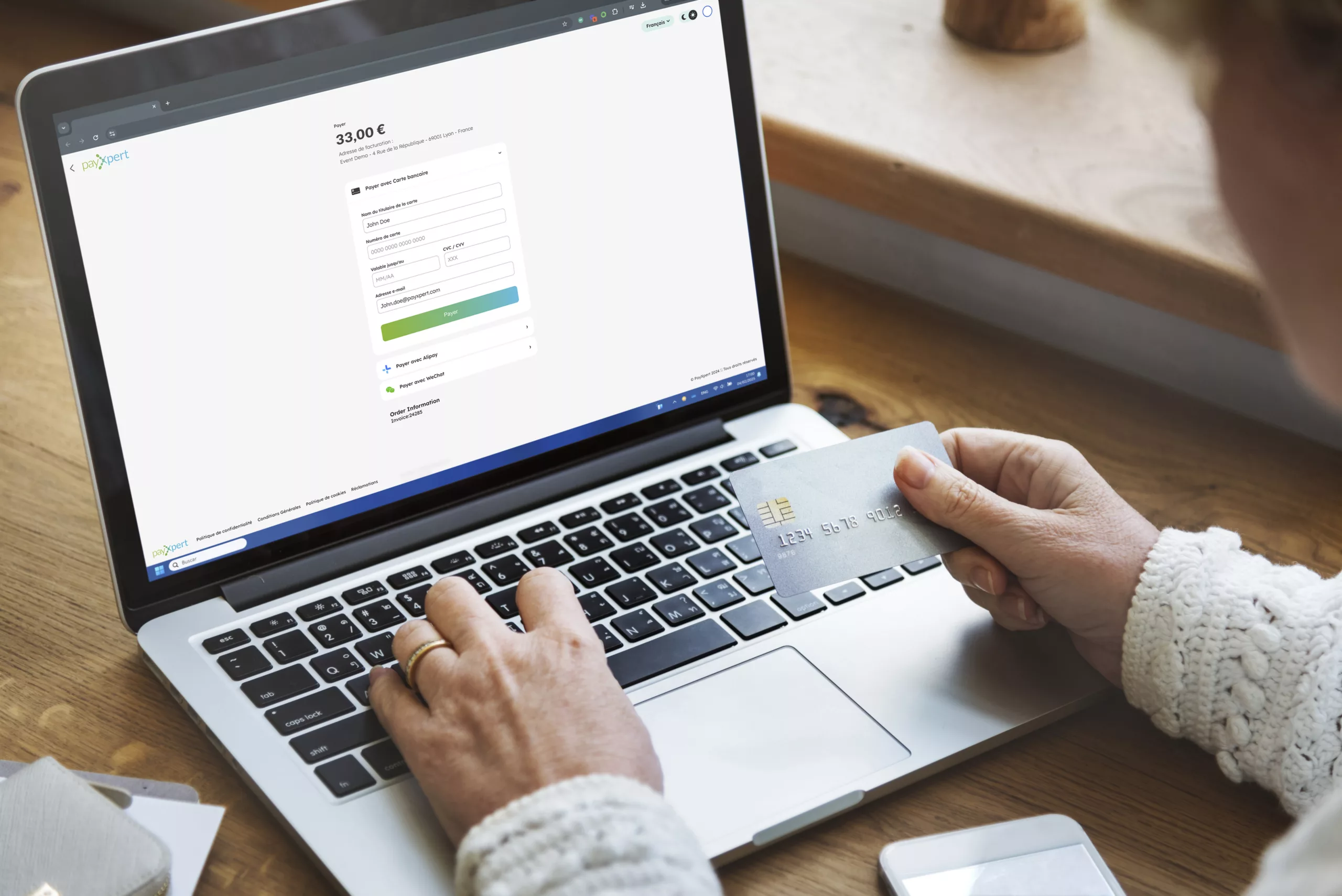
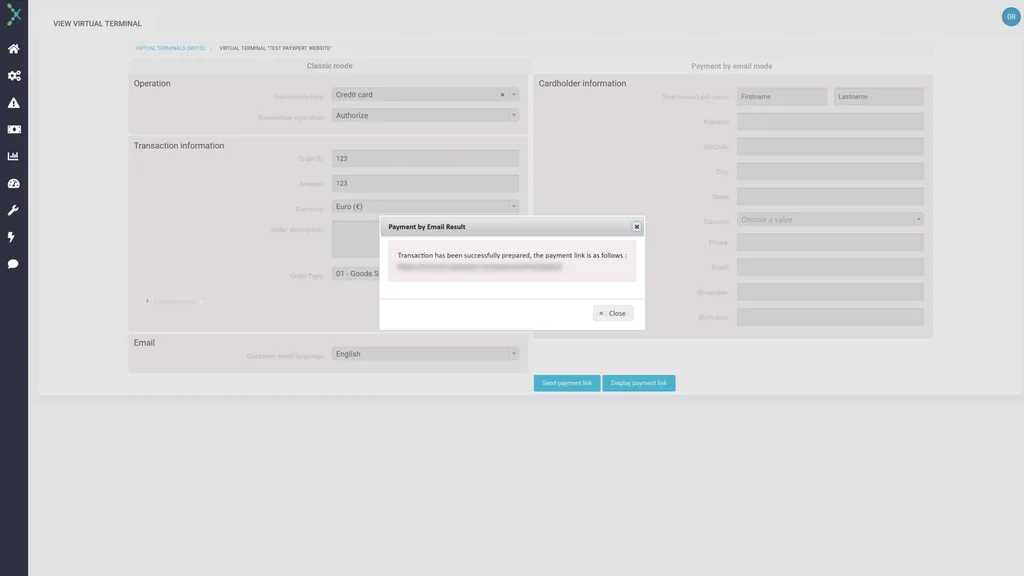
The Virtual Terminal allows users to initiate remote payments by entering transaction and customer information directly from the Back Office and generating a payment link that can be displayed or sent directly to the customer.
This functionality can support use cases such as remote sales, customer service payments, phone-based payment collection and alternative payment workflows while maintaining operational control through the same Back Office environment.
The File Collection page: Your command centre for unified reconciliation
Within the PayXpert Back Office dashboard, the File Collection page serves as a vital central hub for finance teams, operational controllers, and merchants, bridging the gap between front-end customer sales (both online and in-store), batch file transmissions, and final bank deposits. By centralising every compensation file sent to an acquirer in a single location, it gives all three teams complete visibility into the transaction lifecycle, from initial checkout submission to final settlement.
This shared view drastically simplifies 3-way reconciliation while strengthening operational controls. Finance teams can easily verify batch totals against incoming bank payouts and separate processing fees from net funds without relying on manual spreadsheets. Simultaneously, operations and control teams gain real-time oversight to flag transmission errors, file rejections, or processing delays the moment they happen, allowing them to resolve technical bottlenecks before they escalate.
Most importantly, the page acts as a financial safety net to protect merchant revenue and cash flow. By instantly exposing gaps, whether a transaction was left out of a batch file, an acquirer rejected a file, or a payout fell short; it provides the end-to-end audit trail needed to pinpoint exact discrepancies, resolve root causes quickly, and ensure every dollar captured across all sales channels is fully accounted for and paid out.
One platform for payment visibility and control
As payments become increasingly omnichannel, merchants require tools that help them monitor activity, investigate issues and manage operations without switching constantly between systems.
The PayXpert Back Office combines dashboards, transaction analysis, operational tools, chargeback management and remote payment capabilities into a single platform. This provides users with a centralised view of payment activity and supports informed operational decision-making across channels.
Conclusion
Understanding payment performance goes beyond viewing transaction totals.
Merchants increasingly need visibility into payment routes, transaction behaviour, operational workflows and customer activity across multiple channels.
The PayXpert Back Office brings these elements together in one environment, helping users analyse performance, investigate issues and manage payment operations across ecommerce, remote and in-store channels.
Discover how a unified payment environment can support your operational workflows and omnichannel payment strategy. Request a personalised demo.